A bakery owner's guide
Bakery website examples.
Follow the appetite.
The croissant might make you stop scrolling. What happens when you want to visit, order for the office or ask about a cake? That is where a bakery website becomes useful.
Here we look at how Pump Street and GAIL’s answer different customer questions, then explore Buttr & Ember, our own bakery design. Use the comparisons to decide what your customers need.
Compare the examples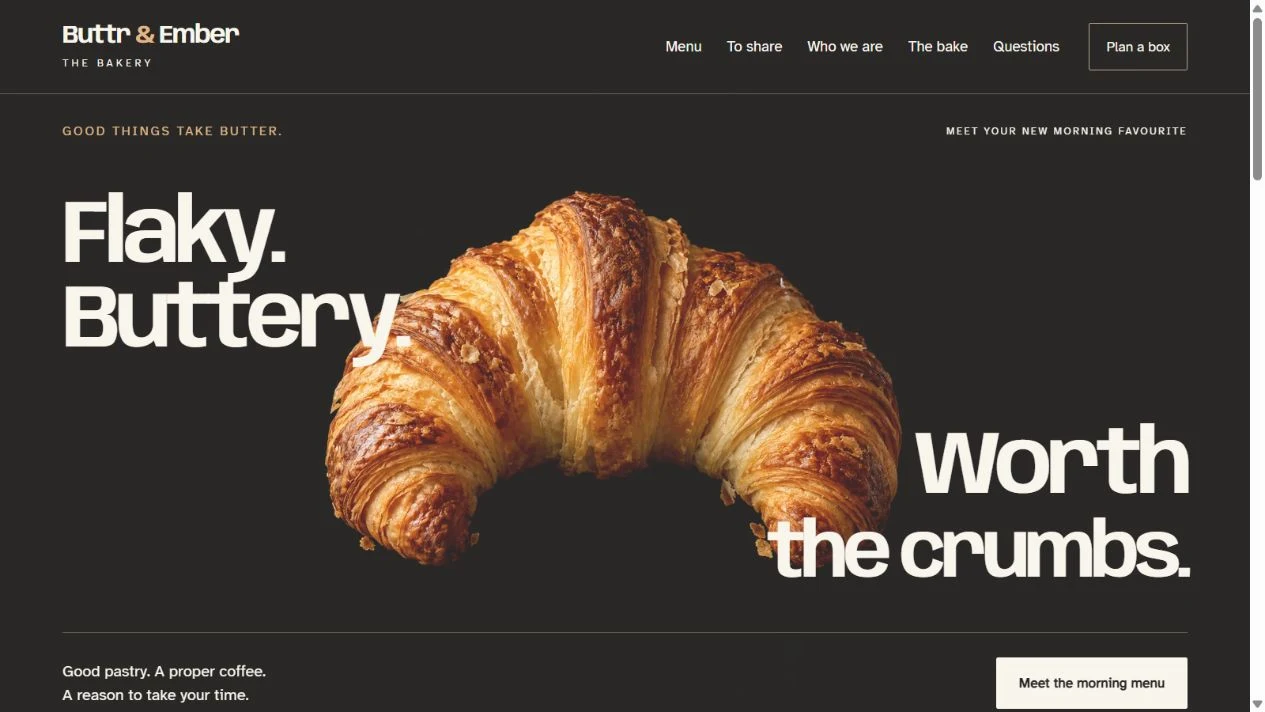
What brings someone
to your bakery?
A neighbourhood bread counter, a celebration-cake business and a bakery shipping boxes need different websites. Start with the sale you actually make.
Visit
Something good, nearby.
Help someone see the food, read the menu and find the right shop. Current opening hours, an address and clear directions matter when they are already on their phone.
Useful next step Read the menu. Plan a visit.
Ask
A cake or a gathering.
Show the orders you take, examples of your work and how much notice you need. Let people ask about the date, quantity and collection before anyone commits.
Useful next step Send a request for your team to check.
Order
A choice they can buy.
An online order needs products, availability, prices, payment and a clear collection or delivery arrangement. Explain what confirms acceptance and where customers can get help.
Useful next step Complete an agreed order process.
Your bakery may need all three. Give each route an understandable name: someone asking about a wedding cake should not have to work through a standard pastry order.
Look beyond the first screen
Two bakeries.
Different things to explain.
The following observations come from the bakeries’ own public pages, checked on . Their services can change. We are looking at how information is organised, without claiming to know their sales results.
Pump Street
Make the destination clear.
Pump Street’s shops page explains its bakery café and its chocolate shop in Orford. Each has its own opening hours. It also points people who cannot visit towards its online products.
- Choose the placeBakery café or chocolate shop.
- Plan the visitFind the relevant hours and address.
- Find another way to buyFollow the online shopping route.
Bring this into your brief
If your café, shop or collection counter have different arrangements, give each its own detail. An overall opening time can leave someone arriving at the wrong door. Explain what is available in person and what can be bought online.
Read Pump Street’s shops page (opens in a new tab)GAIL’s
Explain which ordering route fits.
GAIL’s FAQs distinguish advance orders from same-day options. They explain ordering cut-offs, collection arrangements and how changes are handled. They also answer a question customers might otherwise assume: bespoke birthday cakes are not currently offered.
- Choose the occasionA planned order or something today.
- Check the conditionsTiming, collection and changes.
- Use the relevant routeContinue with the option that fits.
Bring this into your brief
Explain the limits before someone fills a basket or sends a request. Your own cut-offs, delivery area and amendment process should come from the people running the bakery. Avoid making customers discover them through a failed order.
Read GAIL’s frequently asked questions (opens in a new tab)These are independent examples, with no claimed relationship to UpOnUp. You do not need a large bakery’s systems to borrow a useful principle: explain the choices your customers actually have.
Made by UpOnUp
Buttr & Ember.
From pastry to a plan.
Warm colour and generous food photography give this design its character. The useful comparison happens inside: follow a menu choice through to the pastry-box planner.
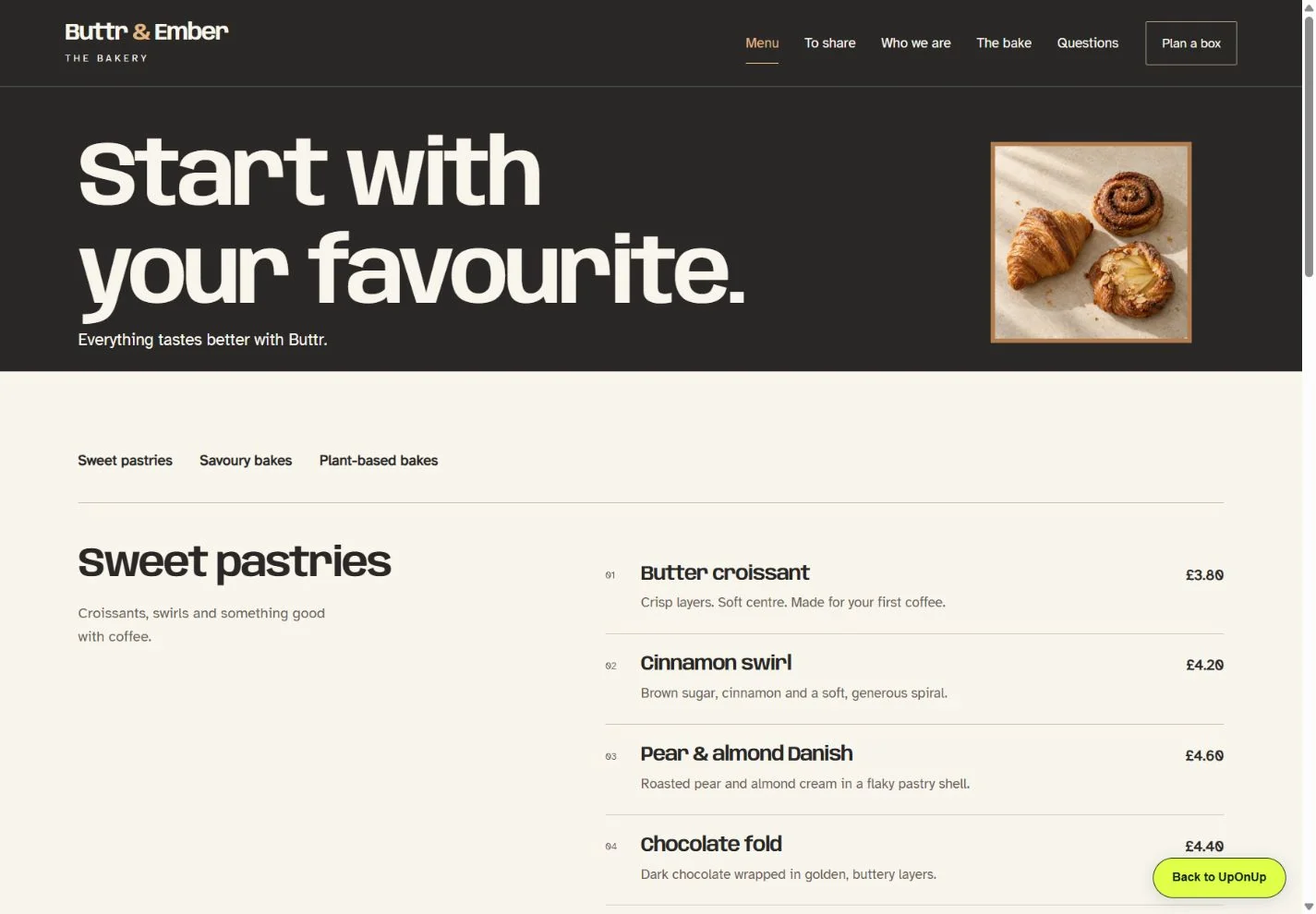
First, help them choose.
Give the menu enough room.
Names, descriptions and prices help someone decide what they fancy. Organising those choices on a readable page means the visitor can browse before making a journey.
For your bakery, decide who updates the menu and how seasonal changes appear. If you keep a downloadable menu too, someone needs to keep both versions in step.
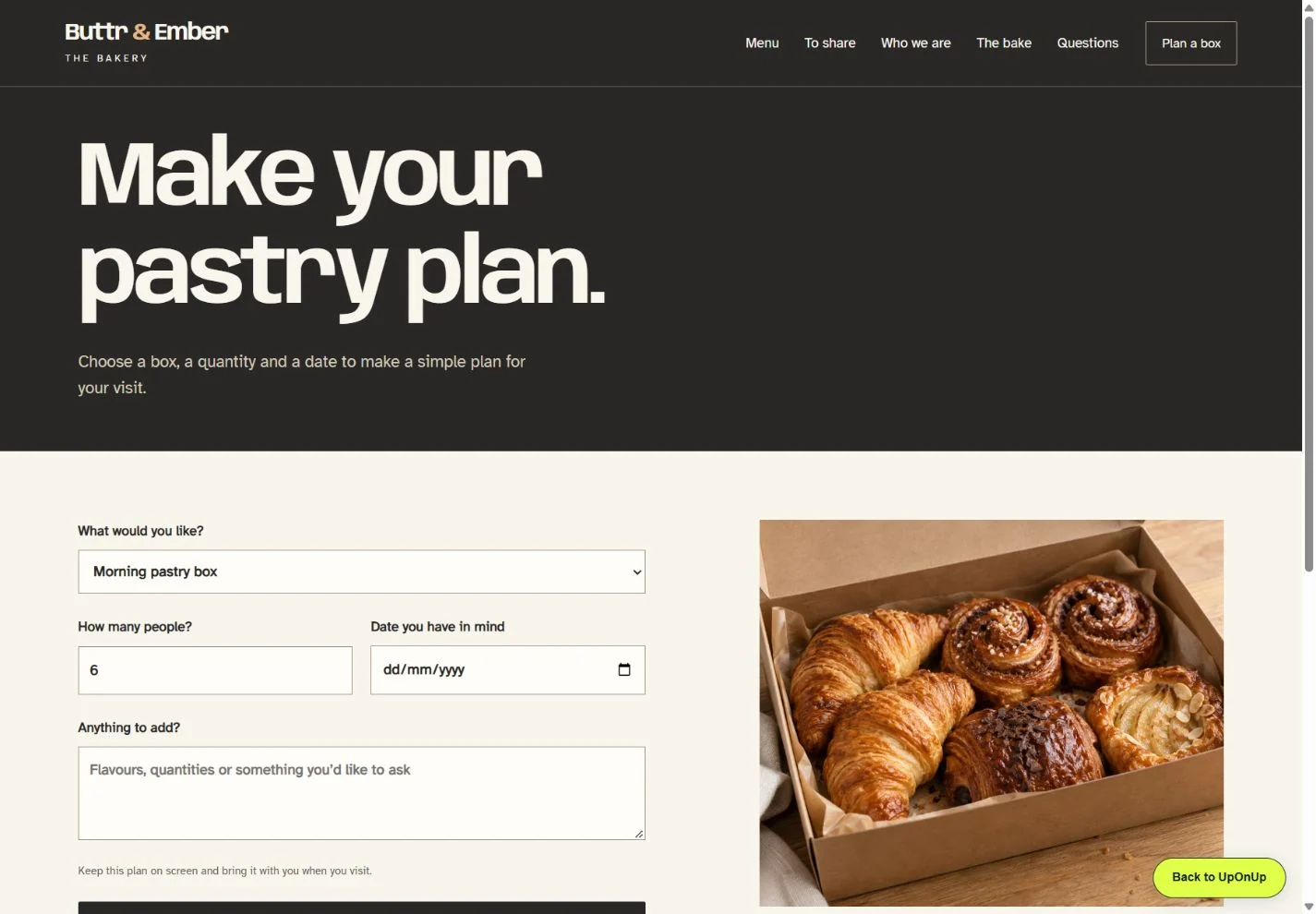
Then, carry the choice forward.
A box with some context.
From the sharing-box page, choosing a savoury box opens the planner with that choice selected. A visitor can add a group size and preferred date, then review the plan together.
A real bakery would need to decide the box contents, notice period, recipient and confirmation process. Group size alone does not tell the kitchen how many pastries to prepare.
Try the savoury-box plannerWho keeps the
important details fresh?
A beautiful page still needs someone to notice when the opening hours change. Put these responsibilities in the brief, alongside the design.
- Menu and product details
- Who approves descriptions, prices, availability and food information? Agree how a change reaches every page or ordering service where it appears.
- Dates and places
- Who updates bank-holiday hours, collection points, delivery coverage and seasonal cut-offs? Check the details for each location separately.
- Requests and replies
- Who receives a cake or catering enquiry, who covers their absence, and what tells the customer the order is agreed? Test the route before launch.
For more detail on menus, visit information and changing content, read our restaurant website content guide. The enquiry-form guide helps you choose the questions worth asking first.
Take the useful ideas with you
A brief for
your own bakery.
Download the questions, add short answers and keep the examples that suit your business. The plain-text file is yours to edit and use with any designer.
Download the bakery brief (.txt)