What you sell or do.
Choose your strongest current product, project or service image. Include context: what it shows, where it belongs on the site and whether it can be published.
Plan the visual evidence
Images can show a finished product, a person behind the service or a detail words would struggle to explain. They can also leave visitors with questions when they are vague, outdated or unrelated to the business. Start with what a buyer needs to see, then choose the image.
Match image to question
There is no compulsory number of photographs. A single relevant image can do more than a gallery of loosely related pictures. Plan images alongside the page structure, not as decoration added at the end.
Swipe sideways to see all columns
| Visitor question | Useful visual material | What to avoid |
|---|---|---|
| What do you actually make or deliver? | Real product, completed work or a clear view of the service in action. | A polished scene that could belong to any company. |
| Who will I deal with? | A current portrait or honest team image, when personal contact matters to the decision. | An image that suggests people work for the business when they do not. |
| What makes your work different? | A close detail, material, process step or before-and-after record with context. | A dramatic image with no explanation of what it shows. |
| Where does the service happen? | A real place or working environment if location genuinely helps someone decide. | A building or workplace that is not yours. |
| What happens next? | A simple diagram or sequence where the process is easier to understand visually. | Decorative icons that add no information. |
Not every business needs every row. If an image makes a factual claim, make sure the claim is true. A visual style can create atmosphere without pretending to show your team, premises or customer work.
Show the thing people came for
On a bakery page, the product should be easy to see. For a professional service, a real person, clear explanation or relevant work example may carry more weight. The right choice depends on what a visitor is trying to judge.
In this UpOnUp page for The Gingered Peach, pastry photography and a strong headline establish the offer immediately. The same image approach would be misplaced on a page where the important proof is technical expertise or a clear process.
Write down the question each main image should answer before choosing it. That prevents a handsome page from becoming an obstacle to understanding.
Plan what each page needs to say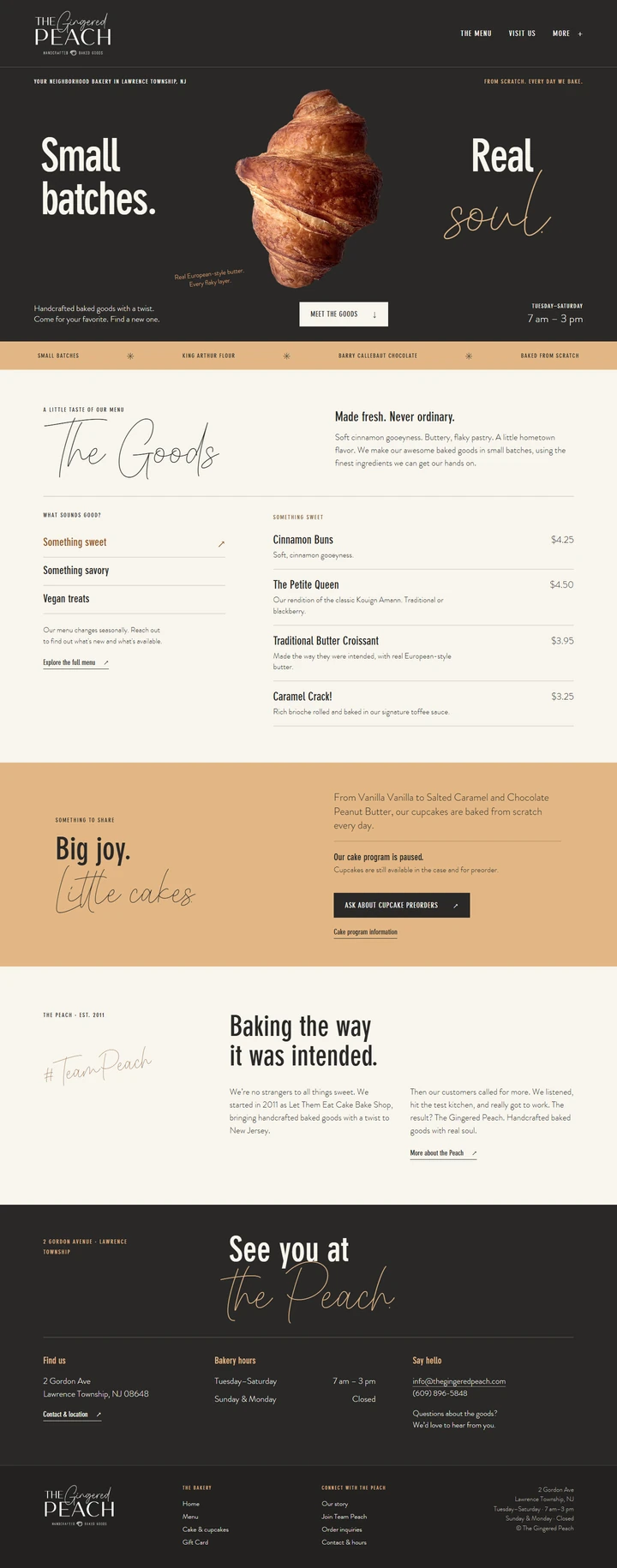
A short collection brief
You can send what you already have. If something is missing, mark it as a gap rather than filling every slot with an unrelated picture.
Choose your strongest current product, project or service image. Include context: what it shows, where it belongs on the site and whether it can be published.
Gather an up-to-date portrait or team image where a human introduction helps. Write names and roles correctly, and confirm permission to use the photo.
Find close views of craft, equipment, finish, process or place that help a visitor understand quality. Keep a note explaining each image.
Before an image goes live
Good imagery should still be lawful to publish, readable on a phone and useful to someone who cannot see it.
The UK Intellectual Property Office explains image permission and licensing. Google's image guidance recommends high-quality images near relevant text, descriptive alt text and attention to page speed. These are useful checks, not a promise of image-search traffic.