Does every service area
need its own page?
Usually, no. A service area page should help someone work out whether you can do their job where they are. Give a location its own page when there is enough useful, specific information to justify the visit. If the only difference is the place name, a clear coverage page is a better starting point.
Start with where you can actually help.
Someone with a garden to redesign or a house to clean has a fairly immediate question: will you come here? Answer it before asking them to describe the whole job. Name the area in terms your customers recognise, explain any boundary, and give people near that boundary a way to check.
Coverage can depend on the work. A landscaper might travel farther for a complete garden than for regular maintenance. A cleaning firm might cover one district on certain days. Those details are useful if they reflect how the business operates. A long list of nearby towns tells the customer much less.
This applies wherever your business is based. Use the local names and address format your customers use. If you work remotely, explain that arrangement rather than suggesting you have an office in every market. Language versions and country-specific offers are a different decision, covered in our guide to websites across markets.
Give each page
a useful job.
Choose the structure around the customer’s decision. There is no need to turn every place you can reach into a separate page.
| Your situation | A useful starting point |
|---|---|
| The same team does the same work across neighbouring areas. | Start with one clear coverage section or page, linked from the relevant services. Explain any limits and how someone checks their address. |
| A particular area has different services, visit arrangements or useful project evidence. | Consider a dedicated page if those differences help someone decide. Put the actual information on that page, rather than making it a signpost to generic copy. |
| Customers visit separate, operating locations. | Give each location its own practical details: address, opening times, access, services and the correct booking or contact route. |
| The only planned difference is a town name in the heading. | Keep the information together. Gather a useful reason for another page before publishing it. |
Ask a simple question before adding a page: if we removed the location name, would anything important still distinguish this from the others? If not, the page probably needs more thought.
What makes a location page worth reading?
Begin with the service and confirmed coverage. Then explain what affects the customer’s choice: the work you take on, how a visit is arranged, what you need before quoting and any applicable travel charges or minimum job size. Only include a response time if you can stand behind it.
Use evidence that belongs to the business. A project can explain what the customer wanted, the constraints and what the team did, with permitted photographs and an appropriate level of location detail. You do not need to publish a customer’s exact address. Use feedback you have permission to republish and attribute it accurately; a neighbouring town’s review should not quietly become a local case study.
Local facts earn space when they affect the job. Access restrictions might matter to a team bringing machinery. A service appointment may depend on travel routes. Explain the practical consequence if you know it; do not pad the page with tourist information or make assumptions about every property in an area.
Finish with the right next step. Ask for enough location information to check coverage, the kind of work and the customer’s preferred contact details. Explain whether they are requesting a quote, asking for a visit or making a confirmed booking. Those are different commitments.
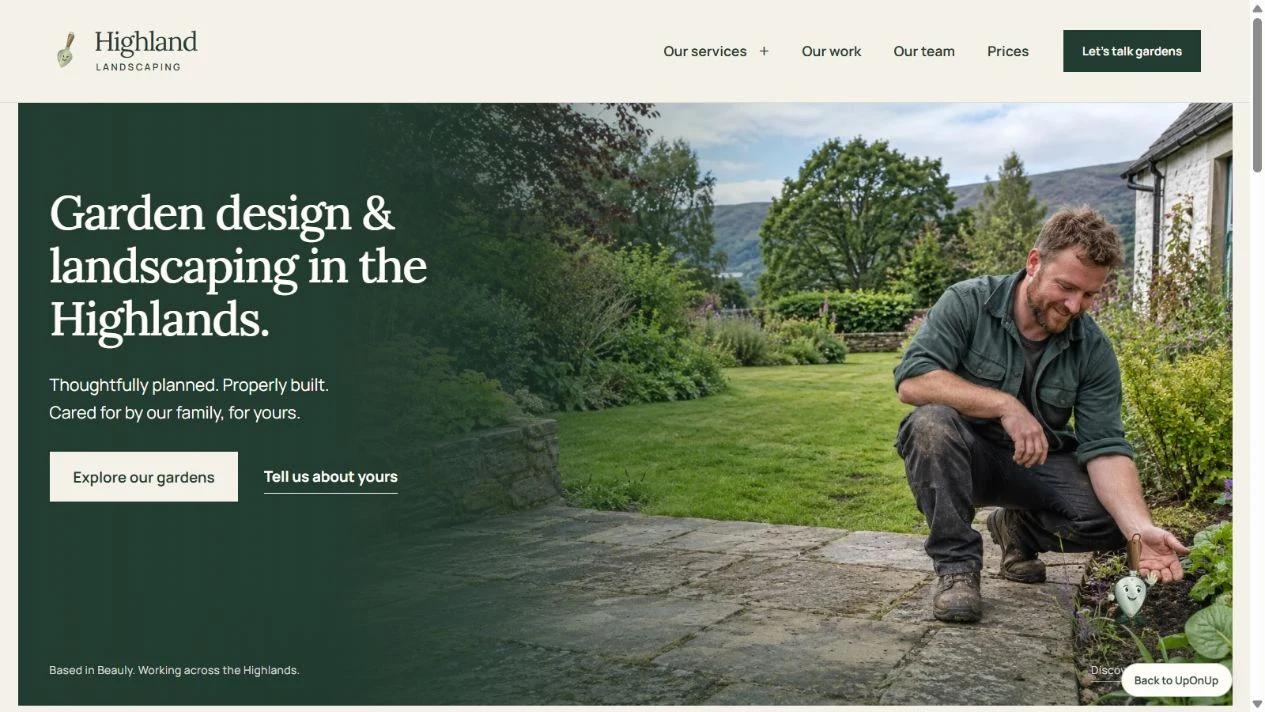
A garden enquiry starts
with the garden.
In our Highland Landscaping website study, the enquiry planner starts with where the garden is and what the visitor wants to change. Service pages explain the work, while the gallery helps someone picture the possibilities.
That is a useful structure to inspect when planning your own coverage. Your real service area, project photographs and visit arrangements supply the detail. The preview creates a draft to copy or download; it does not send an enquiry.
A restaurant has a different job. Visitors need to find the venue, understand access and choose a way to book. Pages for every surrounding town would not answer those questions better than a useful visit page.
Keep location pages and Google Maps in perspective.
Google’s doorway-abuse policy describes substantially similar pages and city-targeted pages that funnel people elsewhere. The problem is the purpose and usefulness of the pages, not the mere presence of a place name. Build pages someone can use directly.
A website page also does not create another business location. Google’s Business Profile guidelines require accurate real-world representation; a rented mailing address where the business does not operate is not an eligible location. Check the rules for your actual operation before creating or changing a profile.
Google says local results depend mainly on relevance, distance and prominence. An extra page does not move your business closer to a searcher. Keep your website coverage, profile details and real availability consistent, and judge enquiries as well as search appearances.
Plan one useful
coverage page.
Work through this outline before writing. If most answers repeat your main service page, use them to improve its coverage section instead.
Edit the outline here, then select and copy it into your own document. Changes are not saved. Nothing is submitted to UpOnUp.
For the service itself, use our service-page worksheet to explain the work, scope and next step.
Publish it where people can find it.
Link a useful coverage page from the relevant service and from a coverage overview if you have one. Let visitors move back to the service and into relevant work examples. Do not leave location pages available only through a sitemap or crowd the footer with every possible town.
After publication, look at the page and queries together in Search Console, then check whether enquiries come from places and jobs you can serve. Low search numbers alone do not prove the page is wrong. If several pages repeat one another, review their useful material and existing links before deciding which to keep; redirect a retired URL when a relevant replacement exists. If there is no suitable replacement, return a genuine missing-page response rather than sending everyone to the homepage.
If you would like us to build the website, send the main services, genuine coverage and examples of the work. We can plan the pages around that. Explore our website service or tell us what your business needs.